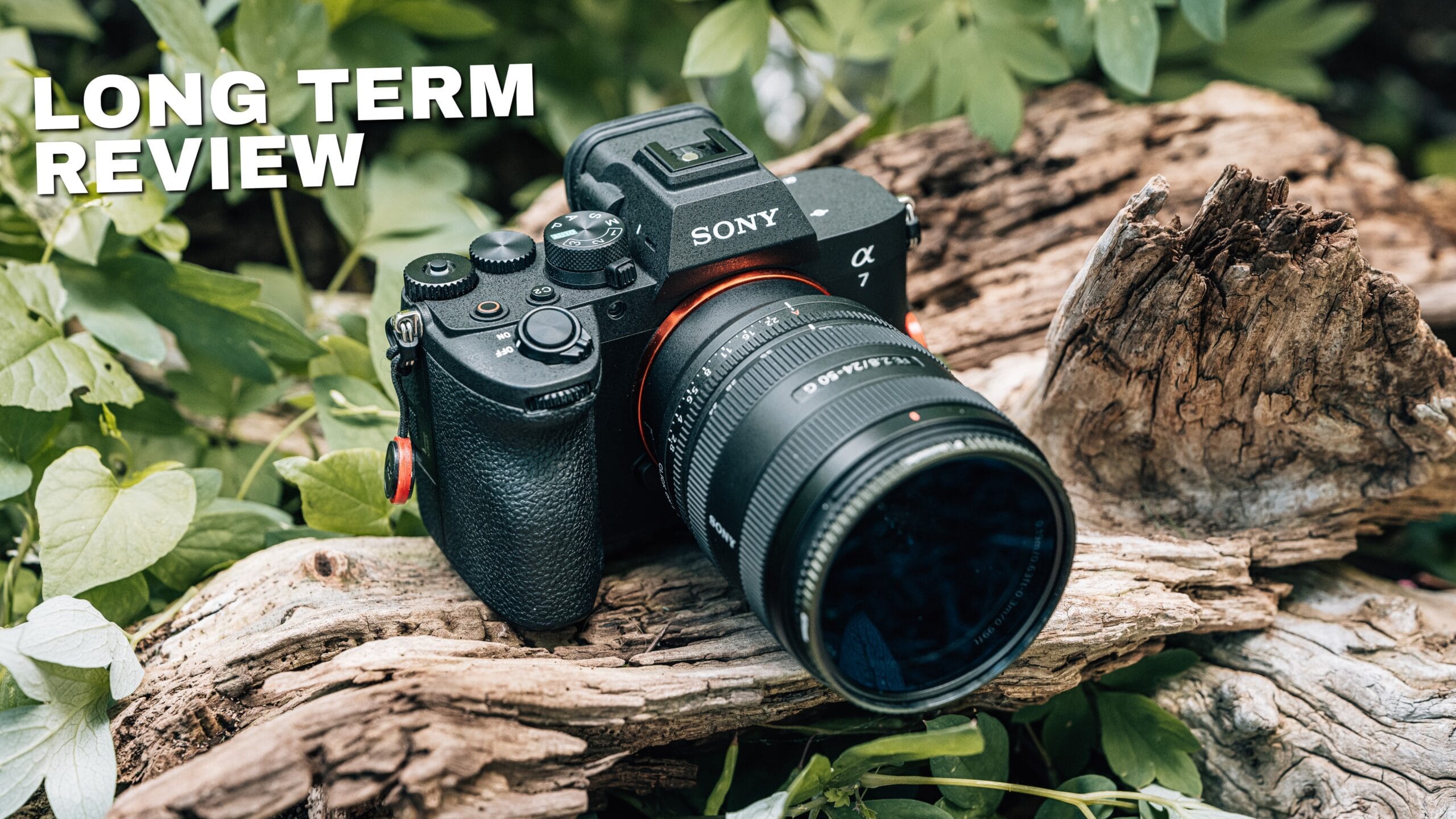
After 8 months of real client work, the Sony a7 V is the camera I grab first — even before my A1 II. Buy it if you're upgrading from a crop sensor or an a7 III; recent a7 IV owners can wait.
Check the Sony a7 V Price → $2,898Highlights
- 30fps blackout-free RAW burst is a huge jump from the a7 IV's 10fps and dramatically raises your odds of the keeper shot
- AI subject-detection autofocus is fast, accurate, and reliable enough that I stop chimping and trust the camera on client work
- Screen both tilts and flips, giving you straight-down low-angle shooting and flip-out framing for portrait, vlogging, and selfies
- Dual USB-C ports let me power the camera and run a live-stream feed at the same time during multi-hour jobs
- 16 stops of dynamic range let me expose for what matters and recover the rest of the frame in Lightroom
- Battery life sits on the better side of everything I own, outlasting the Canon R6 Mark III and Nikon Z6 III in my use
Drawbacks
- At 30fps in fast, chaotic action I average only about 10 usable frames out of 30 — the big number needs a good scenario to pay off
- Deep into a long burst, once the buffer fills, you can feel a little frame skipping or jitter the A1 II never shows
- Rolling shutter is good but not flagship-level; in specific situations I notice more of it than on the A1 II's stacked sensor
- Auto-framing works but can feel robotic, similar to iPhone subject tracking, and the field of view sometimes shifts oddly
- Pre-capture noticeably drains the battery, so it's not something you'll want to leave enabled all the time
Video Review
After eight months with the Sony a7 V, I can tell you exactly where it fits in a working photographer’s kit: it’s the camera I grab first, even before my Sony A1 II. Not because the A1 II isn’t the better camera on paper, but because the a7 V is fast, reliable, and more than capable for the vast majority of what I actually shoot. That means less wear and tear on my flagship and one less thing to think about when I’m on a job.
I’ve been an A7-line shooter for a long time, going all the way back to the original A7S, and I’ve owned a wide range of Sony Alpha bodies alongside cameras from Canon, Nikon, and DJI. So when I say the a7 V has earned a permanent spot in my rotation, that’s coming from someone who has plenty of other options sitting in the office. This is my long-term review, filmed at six months and published at eight, based on real paid work rather than a weekend of unboxing footage.
How I’ve actually used the Sony a7 V
I want to be clear up front about the kind of review this is. I’m not someone who makes YouTube videos and occasionally picks up a camera. Over the last eight months the a7 V has been on client shoots, live streaming jobs, product and thumbnail photography for my own content, high school basketball in cramped gyms, my son’s baseball games, and landscape work in Glacier National Park. It has shot photos, video, and served as a live webcam and streaming source.
That range matters, because a camera can look great in one narrow use case and fall apart in another. The a7 V has performed well enough across all of it that I’ve been comfortable leaving the A1 II at home and only reaching for it when a specific job demands it. When a single body can quietly cover client work, run a multi-hour live stream, and still be the camera I hand-carry into the field for personal shooting, that’s a camera doing its job. The rest of this review breaks down the features that made that possible, and the handful of places where I still notice I’m not holding the flagship.
Speed and performance: 30fps blackout-free RAW burst
Speed is what the a7 V is built around. The headline number is 30 frames per second of blackout-free RAW shooting, and that’s a massive leap from the a7 IV, which topped out at 10fps. More frames means more chances at the one banger image, and for most of us that’s the entire point of a burst: we’re not assembling a perfect sequence, we’re spray-and-praying for one or two keepers out of each shutter press.
Here’s the honest part most reviewers skip. That 30fps is electronic shutter, and getting 30 usable photos out of a 30-frame burst depends heavily on the scenario. Shooting high school basketball in a small gym, indoors, unable to crank my shutter speed, with kids and other people moving in and out of frame while I’m moving too, I average roughly 10 usable frames out of a 30-frame burst. Some misses are on me for not tracking the action perfectly and clipping the subject; others are the autofocus not quite chasing a fast subject down. That’s not a knock on the camera so much as a reality check on the big marketing numbers, whether it’s this 30fps, Canon’s 40fps, or the A9’s 120fps.
There’s a fun side benefit to that frame rate: because you’re capturing at 30fps, you can drop a burst onto a video timeline and play it back as motion, almost like an animation. It holds up well, because video naturally carries a little blur and forgives imperfections that would bother you in a single still. The takeaway is simple. More frames raise your odds of the perfect moment; just don’t expect every frame in a fast, chaotic scene to be a keeper.
AI autofocus: can you actually rely on it?
The autofocus is where the a7 V quietly earns its keep. It uses AI-driven subject recognition, meaning the camera identifies what it’s looking at and applies the right tracking behavior for that subject. I leave it in automatic detection mode and it switches on its own between a person, my dog, or a bird that happens to fly through the frame, applying the appropriate autofocus each time. I haven’t touched the fine-tuning controls once. The defaults out of the box are that good.
The word I keep coming back to is reliable. On client work, which usually isn’t moving fast, I’m not spending half my time chimping to confirm I got the shot. I can glance at an image and know it’s sharp. I also turn on the image-review option that shows exactly where the autofocus point triggered, so I get double confirmation: my own eye plus the box telling me focus landed where I wanted it. That confidence is the whole game, because the worst kind of miss is the one you don’t catch until you’re back at the computer and realize the shot is slightly soft.
Compared to prior A7 bodies, I’m missing far fewer of those precious frames. The autofocus is fast, it’s accurate, and most importantly it’s trustworthy. When you can rely on the camera to nail focus, you stop thinking about the camera and start thinking about composition and the moment in front of you, which is exactly what good gear is supposed to let you do.
Video upgrades: 7K-oversampled 4K, stabilization, and auto-framing
The a7 IV already shot excellent 4K, but the a7 V steps it up meaningfully. You now get 4K oversampled from 7K, which crams more pixels into the same 4K frame. In practice that translates to cleaner footage, a better noise profile, and improved low-light performance. It’s the kind of upgrade you feel more than you see on a spec sheet.
That oversampling pays off again in stabilization. The a7 V has dynamic active mode stabilization, combining the sensor-based system with digital stabilization that leans on those extra pixels from the 7K capture. The result is more usable handheld footage, which means I can leave the gimbal in the bag for more scenarios and shoot with confidence. For a run-and-gun hybrid shooter, that’s a real workflow win.
I’ve experimented with the auto-framing feature, which uses the AI autofocus to keep your subject in frame even when the camera is locked off. It works, and a well auto-framed shot beats a missed one every time. But I’ll be honest: it can feel a little robotic, similar to the subject-tracking mode on an iPhone, and the field of view can get slightly odd as it repositions. I haven’t leaned on it heavily yet. It’s a genuinely useful safety net rather than a feature I build a shoot around.
Image quality and 16 stops of dynamic range
The a7 V offers up to 16 stops of dynamic range, and that number changes how I expose. Instead of compromising to protect the highlights and shadows across the whole frame, I expose for the part of the image that matters most and trust that I can recover the rest in Lightroom. Shooting a river scene, I can expose for the water to keep it true to color and pull the sky back later, or do the opposite. The latitude is that generous.
You get the best results shooting RAW, and I strongly recommend it, especially any time you’re deliberately underexposing to protect detail you’ll lift back later. That said, even JPEGs carry a surprising amount of flexibility here. For situations where I can’t shoot a bracketed sequence and blend it in Photoshop or Lightroom, that dynamic range is what lets me get the shot in a single frame and fix the balance in post.
I’ve posted a full sample gallery on my website with images from Glacier National Park and a range of other scenarios, so you can judge the files somewhere other than the middle of a compressed YouTube video. If you want to see what these files actually look like and how far they push, that gallery is the place to do it. The short version: for a camera at this level, the image quality and dynamic range are excellent and rarely the limiting factor.
Pre-capture: never miss the shot by a millisecond
Pre-capture is one of those features that sounds like a gimmick until it saves a shot you would have lost. With it enabled, the camera is continuously buffering frames before you fully press the shutter, so when the action happens and you’re a hair late, the camera has already captured up to a full second of images leading into that moment.
Turning it on takes a specific path through the menu. You go into shooting mode, then pre-capture settings, and you have to be set up correctly first: switch drive mode to a continuous shooting mode, and be in mechanical shutter mode, then enable pre-capture and set the pre-capture time as high as a full second. Once it’s on, you half-press and wait, and when you finally react a beat late, the half-second or so of buffered frames means you didn’t actually miss it.
Where this earns its place is fast, unpredictable action, like shooting your kid’s basketball team. You’ve already burned through bursts on missed plays, you’re gun-shy, and then the one real moment finally happens and you’re a fraction late on the shutter. Pre-capture covers that gap. The one caveat: it noticeably eats battery, so I wouldn’t leave it on all the time. Enable it when the moment matters and turn it off when it doesn’t.
Ergonomics, the tilt-and-flip screen, and the ports
I’ve been a Sony shooter since the first A7S, back when those bodies were tiny. Small and light is nice until you’re shooting for hours across multi-day jobs and the camera starts wearing on your hand. I’ll take a slightly heavier body with a proper grip over a featherweight I have to squeeze all day, and Sony’s ergonomics have gotten steadily better year over year. The a7 V feels great in the hand and I have no problem carrying it all day, even with a large lens attached.
The standout addition is the screen that both tilts and flips. I’ll take a tilt-up screen over a flip-out screen any day for shooting low while keeping my plane of view straight down the lens, and a tilt-only display makes low-angle horizontal work a headache. But there are real cases where you need the flip-out: low-angle portrait orientation, vlogging, selfies, monitoring yourself on camera. The a7 V gives you both, and it’s one of the best screens in its price class. This is a genuine quality-of-life upgrade, not a spec-sheet bullet.
On connectivity, you now get dual USB-C ports, and that solves a real problem for me. On a multi-hour live stream, one battery won’t cut it, so the camera needs power. With a single port, feeding power meant giving up the port for anything else. Now I can power the camera on one port and use the other as a webcam or streaming feed, or for image transfer to my computer. There’s also a full-size HDMI port, which I love, because I’m often running to a preview monitor or into a video switcher. Full HDMI and dual USB-C, with micro USB and mini HDMI finally gone, is exactly where these cameras should be.
Battery life and connectivity (Wi-Fi 6E)
Battery life is genuinely impressive on this camera. It’s rated at 630 shots through the EVF and 750 shots on the rear LCD. In real use, where the back screen runs until I lift the camera to my eye and the EVF kicks in, it’s hard to say precisely which I’m draining and for how long, but I’ve never found myself lacking. Compared across the other bodies I own and have tested, including the Canon EOS R6 Mark III and the Nikon Z6 III, the a7 V sits on the better side of battery life. Even shooting hybrid, bouncing between photo and video, I’m worrying about spare batteries less than I used to, helped along by that second USB-C port.
Connectivity got an upgrade too, with Wi-Fi 6E for faster image transfer. I don’t tether much, but I regularly pull images off the camera with the Sony Creators app over Wi-Fi, and transfer is noticeably faster than it was on older Wi-Fi 5 bodies. When I need to grab a frame, edit it in Lightroom on my phone, and get a quick preview into a client’s hands, that faster connection turns a friction point into a non-issue.
Sony a7 V vs A1 II: where I still notice the difference
This is the section that keeps the review honest. The a7 V is the body I reach for first, but there are specific, situational moments where I can tell I’m not shooting the A1 II. The first is deep in a fast burst. Even though the a7 V is blackout-free, once you’ve held the shutter well past your first 30 frames and the buffer starts filling, you can feel a little frame skipping or jitter. The A1 II simply doesn’t do that.
The second is rolling shutter. The a7 V handles it well and it’s genuinely good, but the A1 II is in another league thanks to its extremely fast readout and stacked-sensor memory. There are shooting situations where I’ll notice more rolling shutter on the a7 V. And then there’s resolution. The A1 II’s 50 megapixels is more than I need for most of what I shoot, so for thumbnails, product shots, review images, and B-roll, the a7 V is the smarter grab, and it’s the camera I’d rather risk in the field. I’ve only ever damaged one piece of gear in my career, but if something happens to the a7 V, I’m far less heartbroken than I’d be over the A1 II.
The point isn’t that the a7 V loses. It’s that these gaps are situational and specific. If I’m shooting fast, chaotic action at sustained high burst rates, or I need maximum resolution or the cleanest possible rolling shutter, the A1 II justifies itself. For everything else, the a7 V checks the boxes and saves the flagship’s shutter count.
Who should buy the Sony a7 V (and who should skip it)
The clearest yes is for anyone moving up from a crop-sensor body or a camera that’s a few generations old. If you’re coming from an a7 III, the jump is night and day. I handled a friend’s a7 III recently, and while it’s still a great camera you can buy today for a good price, the speed, autofocus, and especially the video capabilities of the a7 V make the a7 III feel like it’s from another era.
The more nuanced answer is for current a7 IV owners. The a7 IV is still a fantastic camera in 2026, and if you bought one in the last year or so, you have plenty of life left in it and don’t need to rush. The a7 V’s improvements — the speed, faster autofocus, upgraded video, extra dynamic range, and the tilt-and-flip screen — are real quality-of-life upgrades, but I wouldn’t call them mandatory over a recent a7 IV. Your a7 IV would, however, make an excellent second body and backup to a new a7 V. I don’t think upgrading every single generation of this line is justified; the refresh cycle runs slower than a smartphone’s, and that’s fine.
If you shoot fast action at sustained high frame rates for a living, or you need maximum resolution and the best rolling-shutter performance available, look at the A1 II instead. For almost everyone else buying in the standard full-frame A7 range, the a7 V is the one I recommend.
Final Verdict
Was this helpful?
Frequently Asked Questions
Is the Sony a7 V worth it in 2026?
Is the Sony a7 V worth upgrading from the a7 IV?
How big is the difference between the Sony a7 V and the a7 III?
How fast can the Sony a7 V shoot?
Do you really get 30 usable photos per second from the Sony a7 V?
How good is the autofocus on the Sony a7 V?
Is the Sony a7 V good for video?
How many stops of dynamic range does the Sony a7 V have?
What is pre-capture on the Sony a7 V and how do you turn it on?
Does the Sony a7 V have a flip screen?
Does the Sony a7 V have dual USB-C ports, and is it good for live streaming?
How is the battery life on the Sony a7 V?
Sony a7 V vs A1 II — which should you buy?
