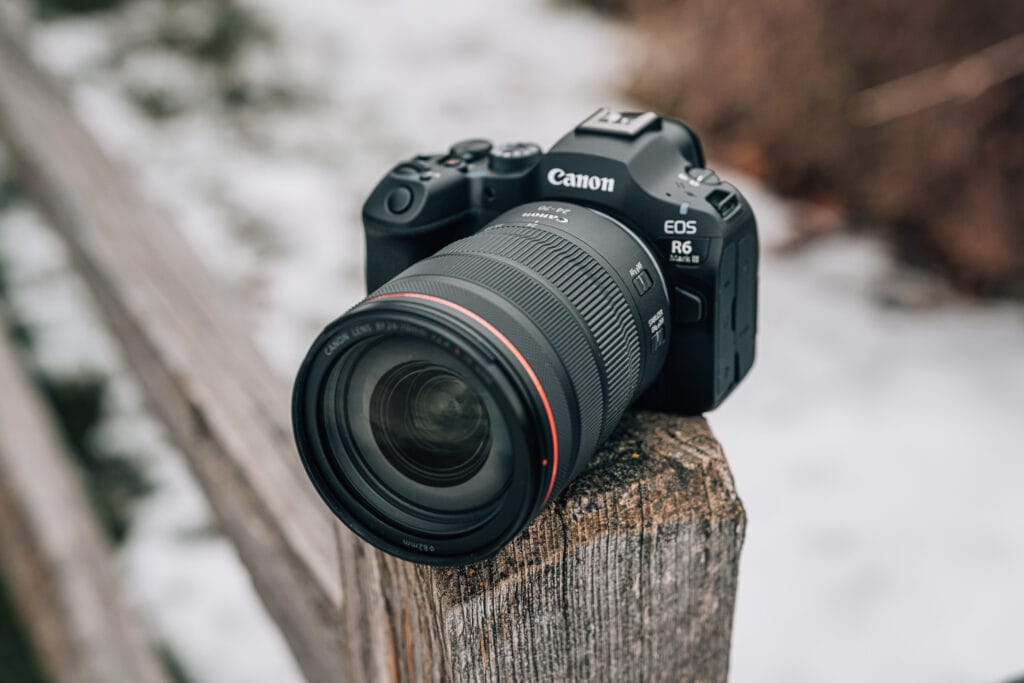
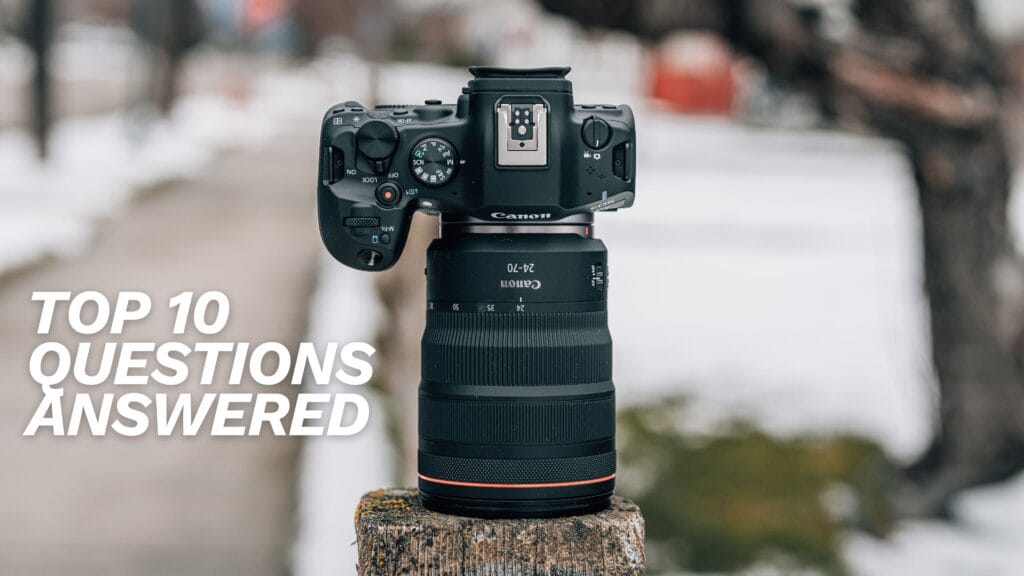
Canon EOS R6 Mark III: 10 Common Questions Answered
By Jerad Hill | Professional Photographer, 26+ Years of Experience | Updated 2026
I’ve been using the Canon EOS R6 Mark III as a working professional photographer for the past 60 days — shooting weddings, high school basketball, live streaming, and commercial work. These are the 10 most common questions I get about this camera, answered with real-world experience rather than spec sheet analysis.
I’ve also spent significant time with the R6 Mark I and Mark II over the past several years, and I’ve been a dedicated Sony shooter for the last decade. That cross-platform experience and this extended hands-on testing period is what makes these answers different from most first-impressions content. If you want a deeper dive into this camera, check out my full 90-day Canon R6 III review or browse the Canon R6 III sample image gallery to see what this camera produces in real shooting conditions.
1. Is the Canon R6 Mark III Worth Upgrading From the R6 II or R6 Mark I?
Whether the Canon EOS R6 Mark III is worth upgrading depends entirely on which generation you currently own and what features matter most to your work.
Upgrading From the R6 Mark I
If you own the original Canon EOS R6, upgrading to the Mark III is a substantial improvement across the board. You gain a jump from 20.1 megapixels to 32.5 megapixels, significantly improved autofocus algorithms and tracking reliability, better low-light performance with a higher native ISO ceiling, 7K open gate video recording, a CFexpress Type B card slot for faster write speeds and higher-performance shooting modes, and improved in-body image stabilization rated at up to 8.5 stops. The original R6 was a fantastic camera for its time, and if it has served you well, the Mark III represents the right moment to move up. You’ll notice meaningful improvements in nearly every area of the camera’s performance.
Upgrading From the R6 Mark II
If you own the R6 Mark II, the upgrade decision is more nuanced. The Mark II is still a very capable camera that continues to deliver excellent results. The primary reasons to upgrade to the Mark III are the resolution bump to 32.5 megapixels, incremental but noticeable autofocus improvements, 7K open gate video capability, and the addition of Register People Priority for tracking specific subjects.
Unless you specifically need a second camera body, require 7K video for your projects, or find that the Mark II’s autofocus isn’t keeping up with your shooting demands, the R6 Mark II will likely continue to serve you well. The Mark III is a meaningful upgrade, but it’s not the kind of generational leap that demands an immediate switch if the Mark II is meeting your needs.
2. How Good Is the Canon R6 III Autofocus for Sports, Wildlife, and Fast Action?
The Canon EOS R6 Mark III autofocus system is exceptional for fast action photography, and it’s one of the most impressive improvements in this generation of the camera.
As a longtime Sony shooter, I’ve always held out for Sony cameras when it came to autofocus speed and reliability. The R6 Mark III has genuinely changed that perspective. The autofocus on this camera tracks subjects with remarkable consistency, maintains lock on fast-moving subjects without jumping to distracting background elements, and makes it easy to switch between detected subjects using the D-pad when multiple people or objects are in the frame.
I’ve tested this camera extensively during high school basketball — fast-paced action in confined gymnasiums with subjects constantly changing direction and distance from the camera. The R6 III handled these scenarios with confidence. The autofocus maintained tracking through rapid movements, direction changes, and even brief obstructions from other players.
Canon has updated the autofocus algorithms in the Mark III to match the technology from their flagship cameras like the EOS R1 and R5 Mark II, and it shows in real-world performance. The system also adds Register People Priority, allowing you to photograph a person and train the camera to prioritize focusing on them over other subjects in the frame — a significant advantage for wedding and event photographers who need to consistently track a specific person in crowded scenes.
While I still tend to use a single-point autofocus approach (moving the focus point manually with the D-pad is a habit that’s hard to break), this camera performs excellently even with wider autofocus area modes where the camera has more freedom to choose focus targets on its own.
3. Does the Canon R6 III Overheat When Shooting 4K or 7K Video?
In 60 days of regular use, the Canon EOS R6 Mark III has not overheated on me once — not even a warning indicator on the display.
I’ve shot extensive 4K video at 60fps and 120fps in warm high school gymnasiums. I’ve used the camera for 2-3 hour continuous live streaming sessions over HDMI to a switching device. In none of these scenarios has the camera shown any signs of overheating or thermal throttling.
I have not pushed the camera with extended 7K open gate recording sessions specifically to test overheating limits, but the realistic use case for 7K open gate is shooting shorter clips — typically 1-4 minutes — for the purpose of cropping, reframing, or stabilizing in post-production. Very few photographers or filmmakers are going to need continuous 7K recording for 20+ minutes at a time. For those extended recording scenarios, a dedicated cinema camera like the Canon EOS C50 would be the more appropriate tool.
Canon has published their own thermal limits for the most demanding recording modes at room temperature (73°F / 23°C): roughly 23-28 minutes for 7K RAW and 4K DCI Fine, and around 35 minutes for 4K 120p with auto power off set to High. For the way most hybrid shooters and content creators will actually use this camera, overheating should not be a concern.
4. How Is the Canon R6 III Low-Light and High ISO Performance?
The Canon EOS R6 Mark III performs exceptionally well in low-light conditions and at high ISO settings, and it represents a noticeable improvement over earlier R6 generations.
I’ve been directly comparing the R6 III to the Sony a7 V — a camera from a brand renowned for outstanding high ISO performance. When pushing the ISO to its upper limits on both cameras, the noise and grain levels are virtually indistinguishable. The only visible differences between the two at high ISO come down to color science — the slightly different way each brand renders color — rather than meaningful noise performance advantages for either camera.
The R6 Mark III has a higher native ISO ceiling than previous models, which translates to better performance in low-light shooting situations before the camera introduces objectionable noise. For wedding photographers shooting in dim reception halls, event photographers working in poorly lit venues, or anyone who regularly pushes ISO beyond comfortable levels, the R6 III delivers clean, usable images in conditions where earlier cameras would struggle.
Beyond the sensor’s low-light capability, the R6 III’s autofocus system also performs remarkably well in dark conditions — it locks focus quickly and confidently in environments where older cameras would hunt and hesitate. This combination of clean high-ISO images and reliable low-light autofocus makes the R6 III one of the most capable low-light cameras in its class.
5. Is 7K Open Gate on the Canon R6 III Usable for Real Projects?
Yes, 7K open gate on the Canon EOS R6 Mark III is absolutely usable for professional projects, but you need to understand when and why to use it rather than treating it as your default recording mode.
When 7K Open Gate Makes Sense
The primary advantage of 7K open gate is the enormous amount of resolution headroom it provides for post-production flexibility. If you’re delivering in 4K or 1080p — which covers the vast majority of professional video projects — shooting in 7K gives you the ability to crop, reframe, reposition, and stabilize your footage without any loss of quality in the final delivery. The difference between 7K and 4K resolution is significant, and if you’re editing on a 1080p timeline, the amount of creative real estate available for reframing is substantial.
Storage and Editing Considerations
7K open gate files are large, and that’s the primary tradeoff. You will need a CFexpress Type B card (the camera requires it for 7K recording), and your storage needs will increase considerably if you’re shooting 7K regularly. A fast CFexpress card like the Prograde Digital 512GB CFexpress Type B is essential.
For editing performance, I tested 7K files from this camera in both Final Cut Pro and Adobe Premiere on a MacBook Pro with an M4 Max chip. The files played back and edited without any performance issues. However, if you’re editing on an older or less powerful machine, you may encounter sluggishness with 7K footage. Proxy workflows can help in those situations.
The Practical Approach
Most shooters will not and should not shoot 7K for everything. Use it strategically — when you know you’ll need to crop or reframe, when you want the highest possible quality for a specific shot, or when post-production stabilization is critical. For everyday shooting, 4K at 30fps or 60fps remains the practical sweet spot for file size, editing performance, and output quality.
6. Is the Canon R6 III Good Enough for Professional Work?
The Canon EOS R6 Mark III is absolutely capable of serious professional photography and video work. The idea that a camera needs to cost $5,000-$10,000 to be “professional” is outdated and inaccurate.
When I was shooting high-end weddings professionally, I was using Canon 5D Mark III and 5D Mark IV bodies — cameras that the R6 Mark III surpasses in virtually every measurable category. The R6 III delivers 32.5 megapixels of resolution (more than enough for wedding albums, large prints, and commercial delivery), autofocus that outperforms cameras costing twice as much, 7K video recording internally, image stabilization rated at up to 8.5 stops, and dual card slots for backup redundancy.
Unless your work specifically requires higher resolution stills beyond 32 megapixels (fine art reproduction, large-scale commercial printing) or professional broadcast-level video I/O that this body doesn’t provide, the R6 Mark III will handle professional assignments without limitation. The autofocus alone — fast, accurate, and reliable even in challenging conditions — is a critical tool for professional photographers who work solo or with small crews and can’t afford missed shots.
7. How Does the Canon R6 III Compare to the Sony a7 V and Canon R5 II?
The Canon EOS R6 Mark III occupies a specific sweet spot in the camera market, and understanding how it compares to the Sony a7 V and Canon R5 Mark II helps clarify who each camera is best suited for.
Canon R6 III vs. Sony a7 V
Both the R6 III and Sony a7 V are full-frame hybrid cameras targeting the same audience — photographers and videographers who want excellent performance in both stills and video without paying flagship prices. The R6 III has advantages in ergonomics (the button and D-pad placement is more intuitive for extended shooting), image stabilization (8.5 stops is best-in-class), and video resolution (7K open gate vs. the a7 V’s 4K maximum for internal recording). The Sony a7 V competes on dynamic range, third-party lens compatibility (Sony allows full third-party lens support while Canon restricts RF mount access), and a mature E-mount ecosystem. High ISO noise performance between the two is effectively comparable.
Canon R6 III vs. Canon R5 Mark II
Within Canon’s own lineup, the R5 Mark II ($4,299) offers higher resolution at 45 megapixels, 8K video, and a stacked sensor with a DIGIC Accelerator for even faster processing. If you need maximum resolution for large-scale printing, cropping flexibility in stills, or the absolute fastest processing Canon offers, the R5 II is the better investment. For photographers and hybrid creators who don’t need beyond 32 megapixels and want the balanced, all-around best value in Canon’s full-frame lineup, the R6 Mark III at $2,799 delivers a tremendous amount of performance at a significantly lower price.
The Bottom Line
The R6 Mark III is the balanced, do-everything camera in Canon’s lineup. It doesn’t specialize in any single area at the expense of others — it delivers excellent stills, excellent video, excellent autofocus, and excellent stabilization in one body at a competitive price.
8. How Effective Is IBIS and Digital Stabilization on the Canon R6 III?
The Canon EOS R6 Mark III has some of the best in-body image stabilization I have ever used in a camera of this size and form factor.
Optical IBIS Performance
The R6 III’s sensor-based IBIS is rated at up to 8.5 stops of correction at the center of the frame. When combined with a lens that has optical image stabilization — such as the Canon RF 24-70mm f/2.8 L IS USM — the stabilization performance is remarkable. In many handheld video shooting scenarios, the footage looks stabilized enough that a gimbal becomes unnecessary. For still photography, the stabilization enables confident shooting at shutter speeds that would produce motion blur on cameras with lesser stabilization systems.
Digital Stabilization
The R6 III also offers a software-based digital stabilization layer that can be enabled on top of the optical IBIS. This digital layer does introduce a slight crop to the image, but in my testing, the additional stabilization it provides is effective without producing noticeable warping or distortion artifacts.
In my 60 days of use, I have not needed to enable the digital stabilization in any of my handheld shooting — the optical IBIS alone has been sufficient. However, for situations like handheld interviews, talking-head videos without a tripod, or shooting in conditions where extra stability is needed, the digital layer provides a useful additional safety net.
I intentionally tested the stabilization by deliberately wobbling and shaking the camera to try to make it fail. Even under those exaggerated conditions, the system performed well. At the extreme edges of the frame, you might notice minor wobble artifacts during aggressive movements, but in any realistic handheld shooting scenario, the stabilization is outstanding.
9. Are There Any Limitations or Quirks With the Canon R6 III?
Every camera has tradeoffs, and the Canon EOS R6 Mark III is no exception. Here are the limitations and quirks I’ve encountered during 60 days of daily professional use.
Dual Card Slot Configuration
The biggest frustration with this camera is the mixed card slot setup — one CFexpress Type B slot and one SD card slot. While dual slots are valuable for redundancy (writing the same files to both cards as a backup), this configuration creates complications.
The CFexpress card is required for the camera’s highest-performance modes — 40fps burst shooting, 7K video, and high-frame-rate recording won’t write to the SD card. This means that in those shooting modes, your redundancy backup is effectively broken because the camera can only write to the CFexpress card. You also need a separate card reader for CFexpress Type B cards, adding another piece of equipment to your bag.
For comparison, my Sony A1 shoots faster than 40fps and writes to SD cards without requiring CFexpress. Canon could have offered dual SD card slots with CFexpress as an added option, rather than requiring CFexpress for the camera’s flagship features.
No Shutter Angle for Video
The R6 III does not include a shutter angle option for video, which some videographers prefer over traditional shutter speed control. This is a feature found on more video-centric cameras and some competing hybrid bodies. For hybrid shooters who switch between photo and video regularly, staying in shutter speed mode across both is actually simpler and more consistent, but dedicated video shooters may miss this option.
RF Mount Lens Restrictions
Canon has not opened the RF mount to third-party lens manufacturers. You won’t find Sigma, Tamron, or other third-party brands making native RF mount lenses. If you want budget-friendly lens options beyond Canon’s lineup, you’re limited to adapting older EF mount lenses with the EF-EOS R adapter. Adapted EF lenses work, but they will be slower to autofocus than native RF lenses, and they may struggle to keep up in high-speed continuous shooting modes.
What’s Not a Limitation
Canon’s menu system is consistent, well-organized, and easy to navigate — especially if you’ve used any Canon camera in the past. The ergonomics, build quality, and button layout have no meaningful shortcomings. And despite the camera being a few generations into the R6 line, the body design maintains excellent backward compatibility with Canon’s control philosophy — the layout will feel familiar even if you’re coming from a Canon DSLR like the 20D, 5D, or any other generation.
10. What Battery, Memory Cards, and Lenses Do You Need for the Canon R6 III?
Getting the right accessories for the Canon EOS R6 Mark III is important for unlocking the camera’s full potential. Here’s what I recommend based on 60 days of professional use.
Battery
The R6 III uses the Canon LP-E6P battery, which is Canon’s latest and most capable battery in this form factor. If you have older LP-E6N or LP-E6 batteries from previous Canon bodies, they will work — you’ll just get shorter battery life compared to the newer LP-E6P. You don’t need to replace your entire battery collection immediately, but I’d recommend adding at least one or two LP-E6P batteries to your kit and carrying spares for any extended shooting session.
Memory Cards
You need two different types of cards to use both slots: a CFexpress Type B card and an SD card (UHS-II / V90).
The CFexpress Type B card should be your primary card. It’s required for 40fps burst shooting, 7K video recording, 4K at 120fps, and any of the camera’s highest-performance modes. CFexpress cards offer read/write speeds above 1,500 MB/s compared to approximately 300 MB/s for the fastest SD cards — that speed difference is why the camera requires CFexpress for its most demanding features.
The SD card serves as a redundancy backup when shooting in standard modes. Set the camera to write the same files to both cards for real-time backup protection. You’ll also want a CFexpress Type B card reader — the camera’s USB-C port works for file transfer, but a dedicated reader is significantly faster for offloading large shoots.
Lenses
I recommend starting with at least a couple of native Canon RF mount lenses rather than relying entirely on adapted EF glass. My two essential recommendations are the Canon RF 24-70mm f/2.8 L IS USM as the versatile everyday lens (I use this roughly 75% of the time with the R6 III) and the Canon RF 70-200mm f/2.8 L IS USM for events, portraits, and any situation where you need reach.
If you have older Canon EF mount prime lenses, get the Canon EF-EOS R adapter and continue using them. EF primes adapted to the R6 III work well for general shooting — you’ll primarily notice the slower autofocus compared to native RF lenses in high-speed continuous shooting scenarios. Just don’t expect adapted EF lenses to keep pace with 40fps burst tracking the way native RF glass will.
Resources
- Canon R6 III 90-Day Review — My comprehensive long-term review after 90 days of professional use
- Canon R6 III Quick Start Guide — Learn every control, menu setting, and function on the R6 III
- Canon R6 III Sample Image Gallery — Real-world images with full EXIF data
- Ditch Auto: Shoot in Manual Mode (Free Course) — Master the fundamentals of exposure and manual shooting
- Free Photography Newsletter — Weekly tips, gear insights, and photography education
Gear Used and Recommended
- Canon EOS R6 Mark III Body
- Canon RF 24-70mm f/2.8 L IS USM Lens
- Prograde Digital CFexpress Type B Card
- Prograde Digital SD Card (V90)
Some of the links above are affiliate links. Purchasing through these links helps support my content at no additional cost to you.
Frequently Asked Questions
Is the Canon R6 III a good camera for weddings?
The Canon EOS R6 Mark III is one of the best cameras available for wedding photography. Its combination of 32.5-megapixel resolution, reliable low-light autofocus, 8.5 stops of image stabilization, Register People Priority for tracking specific subjects, dual card slots for backup redundancy, and 40fps burst capability covers every scenario a wedding photographer encounters — from dark ceremony venues to fast-paced reception moments.
Can the Canon R6 III shoot 4K 120fps?
Yes, the Canon EOS R6 Mark III can record 4K video at 120fps for slow-motion capture. This mode requires a CFexpress Type B card — it will not work with only an SD card installed. The camera also supports Full HD at 180fps for even more extreme slow motion, and 7K recording at up to 60fps in Canon RAW Light format.
Does the Canon R6 III have a full-size HDMI port?
Yes, the Canon EOS R6 Mark III features a full-size Type A HDMI port, which is an upgrade from the Micro HDMI found on some previous models. Full-size HDMI connections are more durable and reliable, especially for live streaming, external monitoring, and any scenario where the cable might be bumped or stressed during use.
Can I use old Canon EF lenses on the R6 III?
Yes, Canon EF and EF-S lenses can be used on the R6 Mark III with the Canon EF-EOS R mount adapter. The adapter maintains full autofocus and image stabilization functionality. However, adapted EF lenses will autofocus slower than native RF lenses due to older motor technology, and they may struggle to keep up with the camera’s highest continuous shooting speeds. For general photography, adapted EF lenses perform well — for demanding action and sports shooting, native RF lenses are recommended.
How many megapixels does the Canon R6 III have?
The Canon EOS R6 Mark III has a 32.5-megapixel full-frame CMOS sensor. This is a significant increase from the 24.2 megapixels found in the R6 Mark II and the 20.1 megapixels of the original R6. The 32.5-megapixel resolution provides plenty of detail for large prints, generous cropping flexibility, and high-quality commercial output while keeping file sizes manageable for fast burst shooting at up to 40fps.
What is Register People Priority on the Canon R6 III?
Register People Priority is a feature on the Canon EOS R6 Mark III that allows you to photograph a person and save their face in the camera so the autofocus system will prioritize tracking them over other people in the frame. You can register up to 10 different people. This is particularly useful for wedding photographers who need to consistently track the bride or groom in crowded scenes, sports photographers following a specific athlete, or any scenario where your primary subject is surrounded by other people.
Is the Canon R6 III weather sealed?
Yes, the Canon EOS R6 Mark III features dust and moisture resistance similar to Canon’s professional L-series camera bodies. The body is sealed at key points to protect against light rain, dust, and humidity. When paired with weather-sealed Canon RF L-series lenses, the system provides reliable protection for shooting in challenging outdoor conditions. That said, weather sealing is not waterproofing — avoid prolonged exposure to heavy rain or submersion.